Close03 / 07

03 / 07

LogGrade

Self-initiated · 2026 · Concept and development

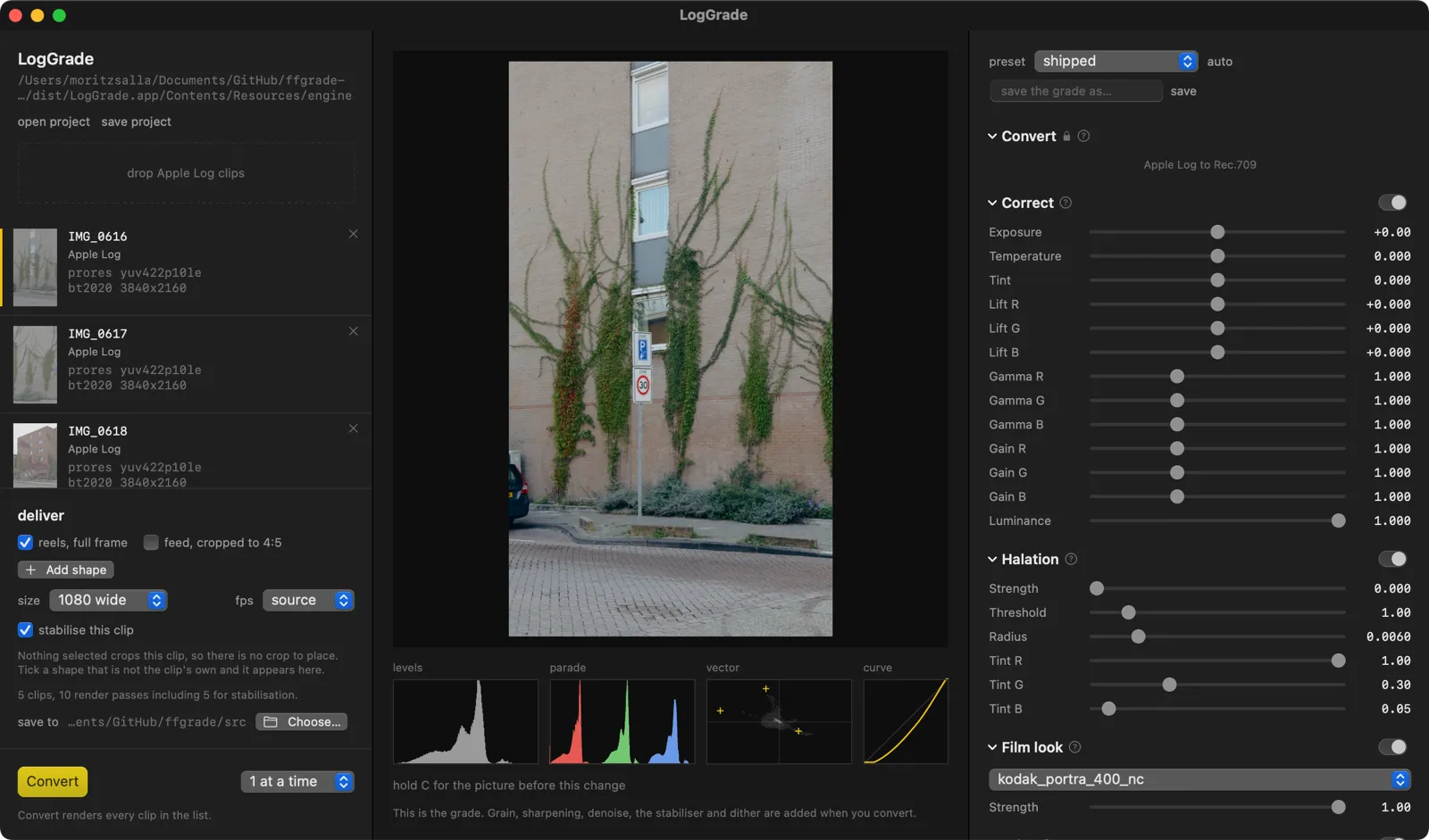
The LogGrade window: a clip list and delivery settings on the left, a graded street frame of an ivy-covered brick building in the middle with levels, parade, vectorscope and curve readouts beneath it, and Convert, Correct, Halation and Film look slider groups with mono readouts on the right

A Mac app for grading iPhone footage, and an argument about what a preview is.

iPhones from the 15 Pro on shoot Apple Log: real highlight headroom, 10-bit colour, and none of the HDR tone mapping or sharpening a normal capture bakes in. Log files are ordinary video, so anything opens them — they just look flat and grey until they have been converted and graded.

The tools that do that properly are all editors. DaVinci Resolve is free and is a full professional suite. Final Cut converts Apple Log and is paid, and the look is still yours to build. Anything that accepts a LUT expects you to bring one. None of them is quick, and quick is the whole requirement: footage in, a look, a file out.

It started as a command line tool for my own footage. The app came after, because reading a number off a terminal is a poor way to decide what a picture should look like.

The preview is the render

Most grading tools approximate while you drag and render the real thing when you let go. This one grades every picture with the whole chain — dragged or settled, on selection, on a preset, on a reset, and for the hold-to-compare — and there is no slower exact render waiting behind it.

That was not the design. The plan had two tiers, a fast approximate one that follows a slider and an exact one on release. Before building the fast tier I measured how far an approximation drifts from ffmpeg’s own output, and the error was worst on saturated colour, which is what street footage is full of. So I tried to account for it: the colour space, the point at which channels clip, the filter order, the conversion matrix, the signal range, which plane gets curved, whether any linear luma explains it at all. Seven candidates, each fitted, each rejected. The divergence was real, deterministic, reproducible on a single pixel, and unexplained.

Shipping an interface whose numbers are wrong in a way I can measure but not explain was the worse option, so the fast tier was refused rather than deferred — and then the exact one turned out to be fast enough to be the only one.

What remains is a measured claim rather than a promise. Against the engine’s render of the same clip at the shipped look, the preview sits about 1.3 code values out on average. The worst pixels are on hard edges, and the reason is knowable: the preview resamples and then grades, the render grades and then resamples. The tests assert on the percentile rather than the maximum, because the maximum is that known difference and not a defect.

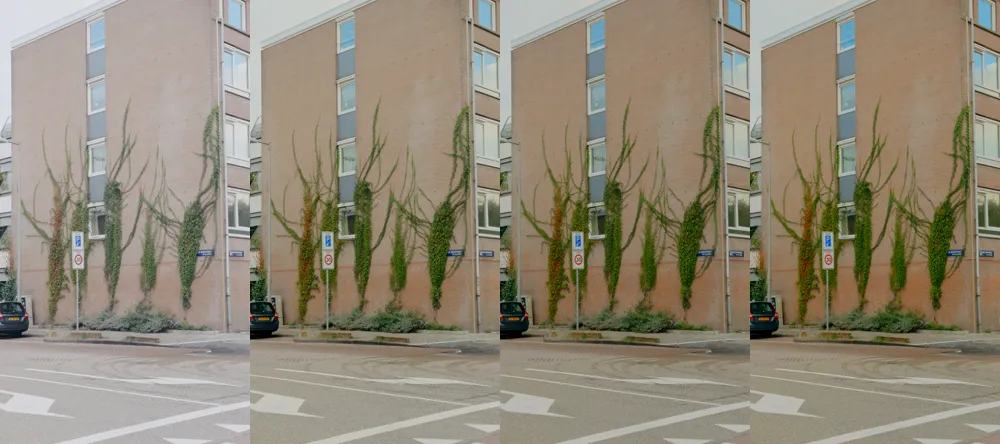
A tone ladder: the same frame of the ivy-covered building side by side four times, each step a different tone setting, from flat and pale to denser contrast

Something to be wrong against

The render chain is a fork of the earlier command line tool, frozen at one commit and never modified.

That costs something. Fixes made here never reach it, and it keeps its known debt forever. What it buys is a reference: at default settings the fork has to produce byte-identical output to its precursor, and a test asserts it. The engine can be instrumented, parameterised and rewritten, and nobody has to take on faith that the image survived — a diff says so.

Which needed a check of its own. Byte-identical is only meaningful if the renderer is deterministic, so I ran the same clip twice, minutes apart, and compared. Identical bytes, identical packet hashes. Nothing in the path asks for that; this ffmpeg build simply happens not to stamp a timestamp into the container. If a future build starts doing so, the test has to compare stream hashes instead, and that is written down where the next person will look.

Halation

The warm glow bright things spill into the dark around them. A lookup table cannot produce it, because it is spatial rather than per-pixel, so it is its own stage — and where that stage sits turned out to be the whole problem.

After the conversion was the obvious place and the wrong one. By then every highlight has landed on the same display ceiling, so a sky and a white car glow identically. Apple Log still holds about twelve stops of that difference, so the glow is computed there, in linear light, before the conversion.

The first version blurred the highlights and added the result. An overcast sky glowed onto itself and turned pink. What ships instead adds only the difference between the blurred highlights and the highlights themselves, clamped at zero: a bright field is left alone, and the glow lands on the dark side of an edge, which is where halation actually appears.

The strength control removes the stage from the graph entirely at zero. Idle, the float round trip still moves the picture by about a quarter of a code value — small, and not nothing, and neutral has to mean absent.

The window

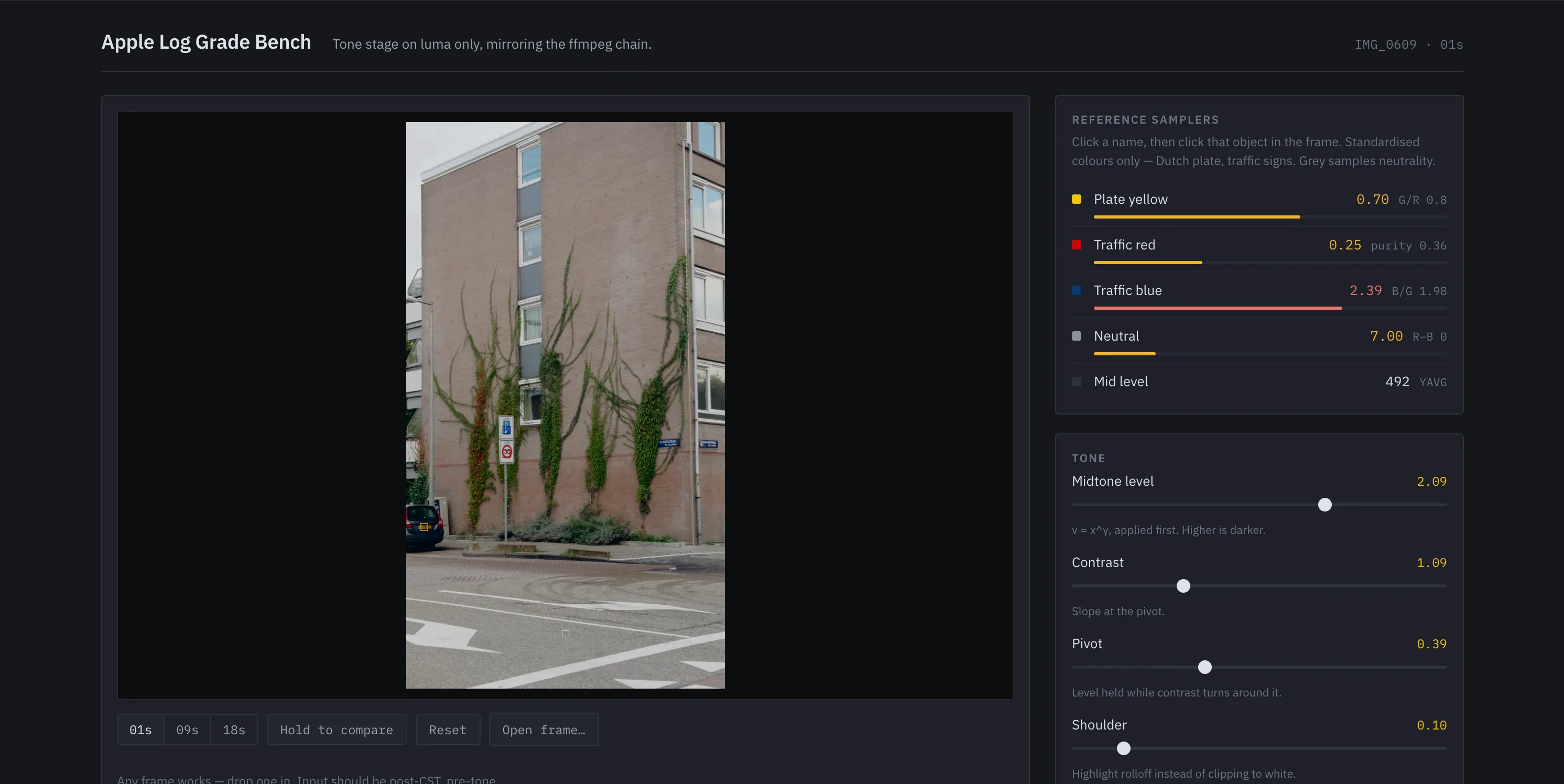
The grade bench: a frame of the building on a near-black surround, beside reference samplers for plate yellow, traffic red, traffic blue, neutral and mid level with mono readings, and tone sliders for midtone level, contrast, pivot and shoulder, their values set in yellow

The app is a measuring instrument that happens to make pictures. The lineage is a darkroom enlarger and a light meter, not a dashboard.

The surround is neutral grey rather than tinted, for the same reason grading suites are: any cast in the interface biases the judgement being made in it. Every measured value is set in a mono face with tabular figures, so a column of numbers can be scanned and compared, and labels recede so readouts don’t. There is no green anywhere — ready is the absence of a warning, and a green tick next to a photograph is a second colour competing with it.

The single accent is RAL 1021, the plate yellow this pipeline calibrates against. A tool’s accent colour should be one it knows the value of.

Small decisions that took the longest

Tone is applied to the luma plane only and the original chroma merged back untouched. Curve all three channels and a contrast move turns saturated colour neon.

A deliverable is a record — a name, an aspect, an optional crop offset — rather than a branch in a script. Every one is scaled to the same width, because the platform re-encodes to a fixed width and deliverables that differ in width get re-encoded differently for no chosen reason. Each resolved size is printed per clip, because rounding in silence is this project’s oldest class of failure.

Encoders do not reliably write the colour tags you pass them. Rec.709 pixels tagged as BT.2020 get transformed a second time by anything that trusts the tag, which looks like someone bleached the footage. Every encode is followed by a remux that stamps the tags and then verifies them.

The crop is dragged on the picture, per clip. It could have defaulted to centre — and then a batch of twelve would produce twelve files that all look finished and are all framed wrong.

On how it was built

The engine is bash and ffmpeg and predates the app. The Swift is heavily AI-assisted; the platform was new to me and the language was the part I did not have.

What isn’t assisted is the reasoning: freezing the precursor as an oracle, refusing the approximate preview, putting tone on luma, computing halation before the conversion, the interface argument. Those came out of measuring things and writing down what the measurement meant. The model wrote Swift that does what I asked; deciding what to ask was the work.

Every test in the repository exists because the thing it covers had already broken. Two guards shipped broken and went unnoticed until something exercised them. The suite has since been mutation-tested — each guard deliberately broken to confirm its test goes red — which turned up two tests passing against a guard that was no longer there.